Turn your iPad into a workstation
Valxe is a desktop-class code editor for iPad / iOS, built with stability first — the crash and data-loss problems are already taken care of. Monaco + Runestone + Vim dual engine, full Git, 70+ terminal commands, SSH (Proxy Jump / 2FA), AI assistant (12 providers including local Ollama), and Python / Node / PHP / Clang / OpenJDK running right inside your iPad. 7-day trial, NT$60 / US$1.99 one-time unlock for permanent use — no subscription, no ads.
Core engines
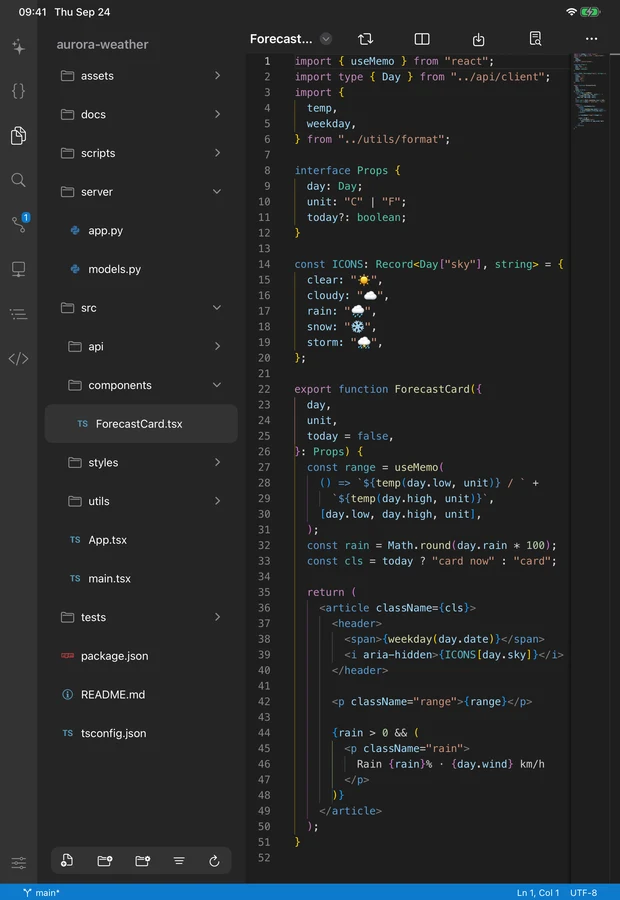
Monaco Editor + Runestone + Vim mode
Devices
iPhone / iPad / iPadOS 16+ (M-series ideal)
Built-in runtimes
Python 3.9 / Node 18 / PHP 8.3 / Clang 14 / OpenJDK 8
Made for
Developers / students / iPad-only travellers / SSH-to-home-server folks
Why Valxe over any other iPad editor
Not a teaching toy. Not a cloud IDE. It runs on your iPad, writes and runs code offline, and can SSH back to your home or company server.
Desktop-class editing experience
Monaco Editor (same engine as VS Code) + Runestone (native TreeSitter), Vim mode, Emmet, multi-cursor, IME-friendly, correct CJK character widths. Touch selection feels close to desktop.
Built-in multi-language runtimes
Python 3.9.2 (with LSP), Node.js 18.19.0, PHP 8.3.2 (with Zlib), C/C++ (Clang 14 + WebAssembly), Java (OpenJDK 8 + LSP) — all run inside your iPad. No network, no cloud sandbox.
SSH turns your iPad into a terminal
Full OpenSSH-class client: Proxy Jump, 2FA OTP, port forwarding, auto-loaded keys. Travel with just an iPad and still patch your production nginx or deploy script.
From code to deploy on one iPad
From Monaco editing to Git version control, 70-command terminal to SSH — Valxe packs the core of a pro dev setup into your tablet.
Monaco + Runestone + Vim dual engine
Monaco Editor (same as VS Code) runs in WKWebView with full syntax highlighting, autocomplete, multi-cursor and Emmet. Want native performance? Switch to Runestone (TreeSitter) with 50+ language grammars — in the app it is called the Native Editor: turn on "Native Editor" in the Editor section of Settings, or pick "Switch to Native Editor" from the "⋯" menu at the top right of the editor (Monaco is called the Full-Featured Editor). Vim users, :wq just works.

Full Git (SwiftGit2)
Clone, commit, side-by-side diff, push, pull, stash, cherry-pick, branch management, conflict resolution — GUI and CLI. Pull never overwrites your uncommitted local files — your changes get auto-stashed before pulling main.
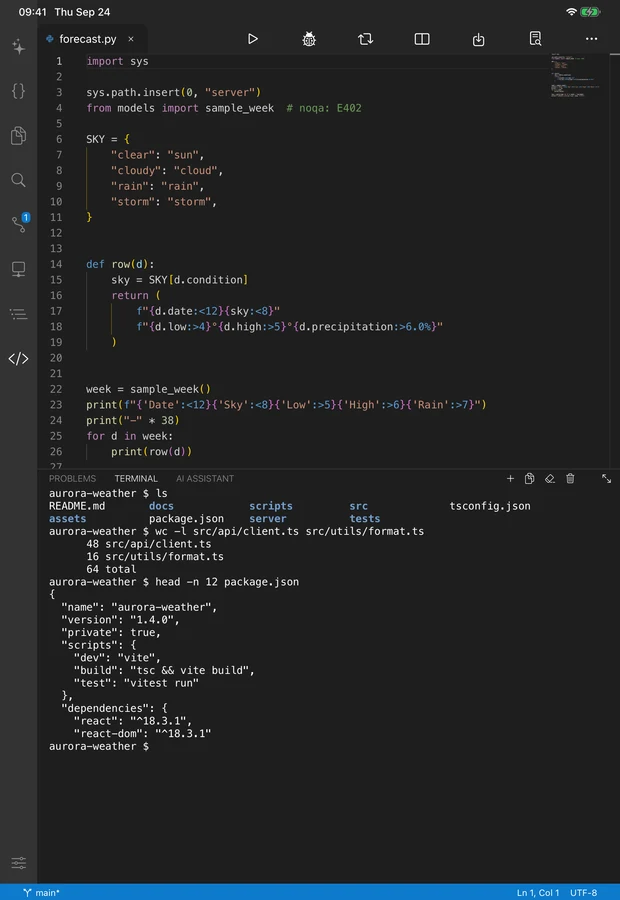
Built-in terminal (70+ commands)
ls, cd, grep, find, tar, git, curl, python3, node, php, clang — 70+ commands run locally. Multi-tab, modifier keys, custom hotkeys. CJK widths are correctly calibrated (the original xterm.js rendered them as half-width).
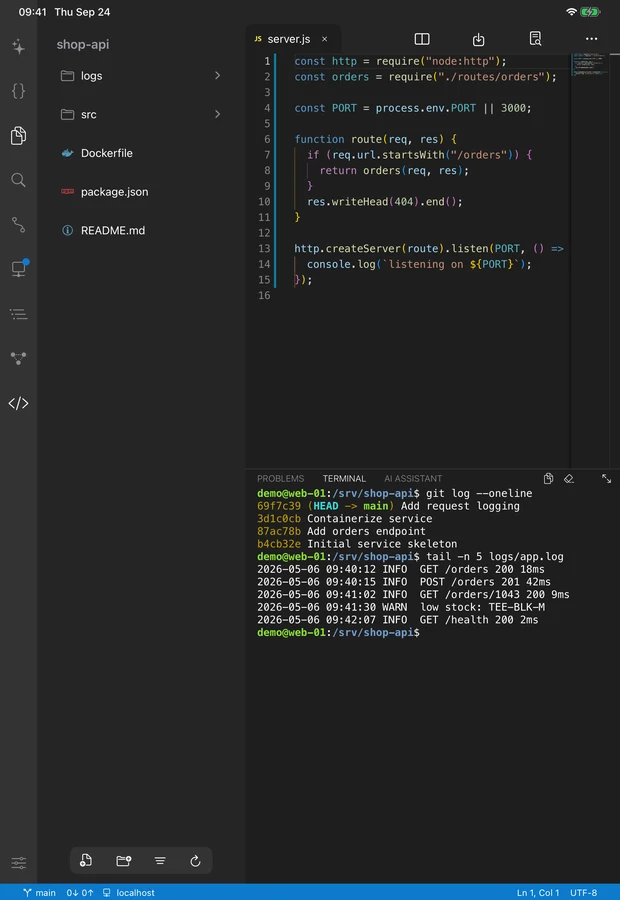
AI assistant + SSH remote
AI assistant with 12 providers (Claude / OpenAI / Gemini / DeepSeek / Groq / xAI / Mistral / OpenRouter / Ollama / Zhipu / Minimax / Custom). Agent mode lets AI read/write your files, run terminal commands, grep code — and asks for your OK before writing a file or running a command; Inline completion works like Copilot ghost text. SSH built on NMSSH/libssh2 — no crash even when the server has no TTY. Proxy Jump, 2FA OTP, port forwarding, auto-loaded keys.
From Monaco editing to SSH — the full feature list
The only no-compromise dev tool on iPad / iPhone — IDE mindset, Vim ergonomics, desktop terminal and SSH all in one.
- Monaco Editor + Runestone TreeSitter dual editor, 50+ language syntax highlighting
- Vim mode (:wq, visual block, registers, macros — fully supported)
- Full Git: clone / commit / diff / push / pull / stash / cherry-pick / conflict resolution
- Built-in terminal with 70+ commands, multi-tab, modifier keys, correct CJK widths
- SSH: Proxy Jump, 2FA OTP, port forwarding, auto-loaded keys
- On-device Python 3.9.2 + Node 18.19 + PHP 8.3.2 + Clang 14 + OpenJDK 8
- AI assistant: 12 providers + Agent mode (read / write / grep / shell) + inline completion
- Sticky Scroll, Minimap, Breadcrumb, Split Editor, auto-save
- Snippets, Jupyter / LaTeX / Mermaid preview, hex editor, Format on Save
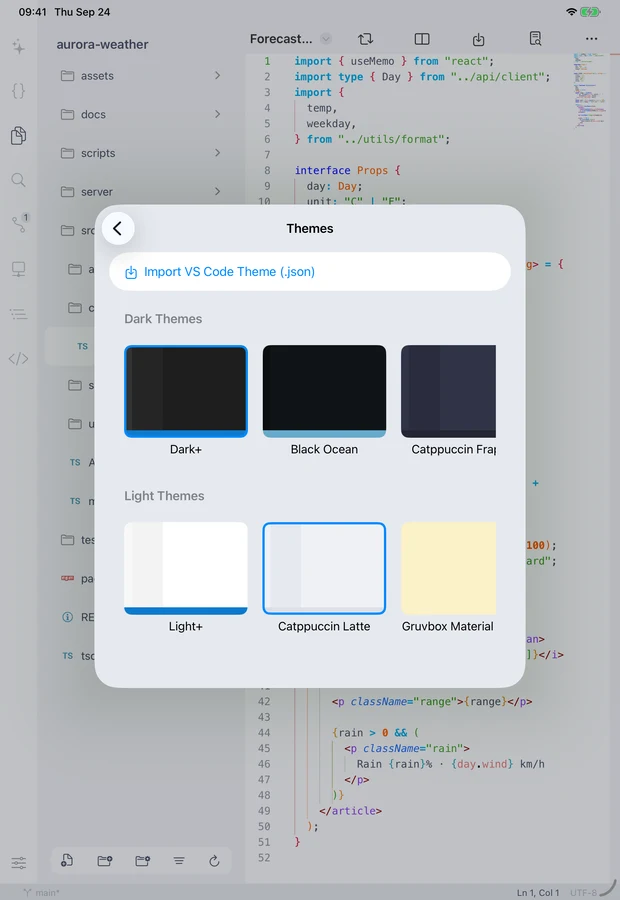
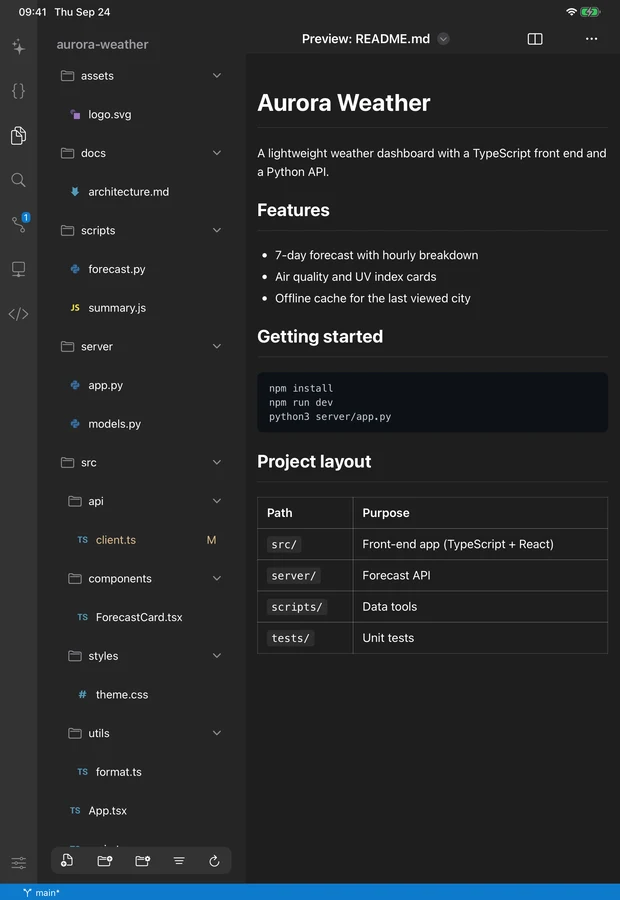
More screens than one page can hold
From the editor to an SSH session — see how Valxe fits a desktop dev experience onto an iPad.
Monaco Editor
Git diff
Terminal
SSH
Theme
Explorer
Common use cases
Whether you commute-code on iPad, SSH to your home server from the couch, or train Python models on an M4 — Valxe fits.
On the road with just an iPad
Client emergency, need to patch an nginx config? SSH in, vim it, push the deploy — done. MacBook stays at home.
iPad Pro M4 for Python / ML practice
Python 3.9 with numpy, pandas, requests runs natively (pip-installable). Students do data-science homework with a big screen, long battery, no need to carry a laptop to the library.
SSH to your home server from the couch
Home server runs NAS + Pi-hole + Docker. From the couch, SSH in to edit docker-compose, tail logs, restart a service. No need to walk to your desk.
Students working on C / C++ / Java assignments
Clang 14 + OpenJDK 8 bundled, so the example .c / .cpp / .java files from your TA just compile and run. WebAssembly lets you demo C++ in a browser for classmates.
Open source contributors fixing issues
Clone the repo, run tests, fix the bug, push a PR — entire flow on iPad. Split-view with the GitHub issue while you code.
PHP development + deployment
PHP 8.3.2 bundled. Run Laravel artisan commands in the terminal. Done? SSH push to staging, rsync up. Dev to deploy without switching devices.
Why pick Valxe
More than an iPad editor — stability, a one-time purchase and on-device first, all in one.
Stability first
The things that crash or lose data are already handled: pull never overwrites uncommitted files, SSH no longer crashes on hosts without a TTY, running C/C++ repeatedly or reopening the same file no longer crashes, and staging and committing no longer race each other. Dependencies and UI details keep getting updated too.
7-day trial + NT$60 one-time unlock
Start a 7-day full-feature free trial in the app whenever you like — once per Apple ID, and nothing is charged automatically when it ends. Before you start the trial, or after it ends without a purchase, the app is in read-only mode: you can still open and browse files, while editing / creating / deleting files, the terminal, the AI assistant, Git and theme import need unlocking. A NT$60 / US$1.99 one-time purchase unlocks everything permanently. No subscription, no monthly fee, no AI usage add-ons, no ads.
On-device first, zero tracking
No account, no telemetry, no ads, no analytics SDK. SSH private keys live in iOS Keychain, code lives in the local sandbox. The network only opens when you actively pull / push Git or open SSH.
FAQ
A few of the most common questions to help you decide if Valxe is what you need. Full list on the FAQ page.
Valxe is native Swift + SwiftUI, deeply integrated with iOS APIs (WKWebView, Keychain, Files, App Extensions). No Android is planned. macOS users should just use VS Code directly. This app exists to solve one specific pain: 'a real dev environment on iPad'.
The App Store version is a 7-day free trial + a NT$60 / US$1.99 one-time purchase for permanent unlock (buy once — no subscription, no monthly fee, no AI usage add-ons). The trial starts only when you tap "Start 7-Day Free Trial" in the app, once per Apple ID; the App Store keeps the record, so reinstalling does not reset it, and nothing is charged automatically when it ends. All features work during the trial; before you start it, or after it ends without a purchase, the app is in read-only mode — you can still open and browse files, while editing / creating / deleting files, the terminal, the AI assistant, Git and theme import need unlocking.
Twelve providers: Anthropic Claude, OpenAI, Google Gemini, DeepSeek, Groq, xAI (Grok), Mistral, OpenRouter, Zhipu GLM, Minimax, local Ollama, and a Custom OpenAI-compatible backend. Agent mode lets AI directly read/write your files and run terminal commands (5 built-in tools). Local Ollama supports LAN connection from iPad to your Mac — no data leaves your network. You bring your own API key; we don't bill you.
Stability is Valxe's top priority. Handled so far: pull no longer overwrites uncommitted local files, SSH no longer crashes on TTY-less servers, consecutive C/C++ runs no longer crash, reopening the same file no longer crashes, Stage Commit race conditions are fixed, and more; dependencies and UI details are upgraded as well. See the Changelog page on this site for what changed in each version. For important projects, we still recommend pushing to an external Git remote regularly.
Yes, but the experience is much worse — screen too small, keyboard covers the editor, terminal cramped. Strongly recommend iPad (especially iPad Air / Pro with an external keyboard), M-series chips run the language runtimes smoothest. iPhone is only good for quick one-or-two-line edits or checking a Git diff.
Turn your iPad into a workstation
iOS / iPadOS 16+. Full-feature 7-day trial, NT$60 / US$1.99 one-time unlock for permanent use. No subscription, no monthly fee, no ads.